
Here's a step-by-step guide to placing your first order with Smart Leverage on Bybit.
Buy a Smart Leverage Product
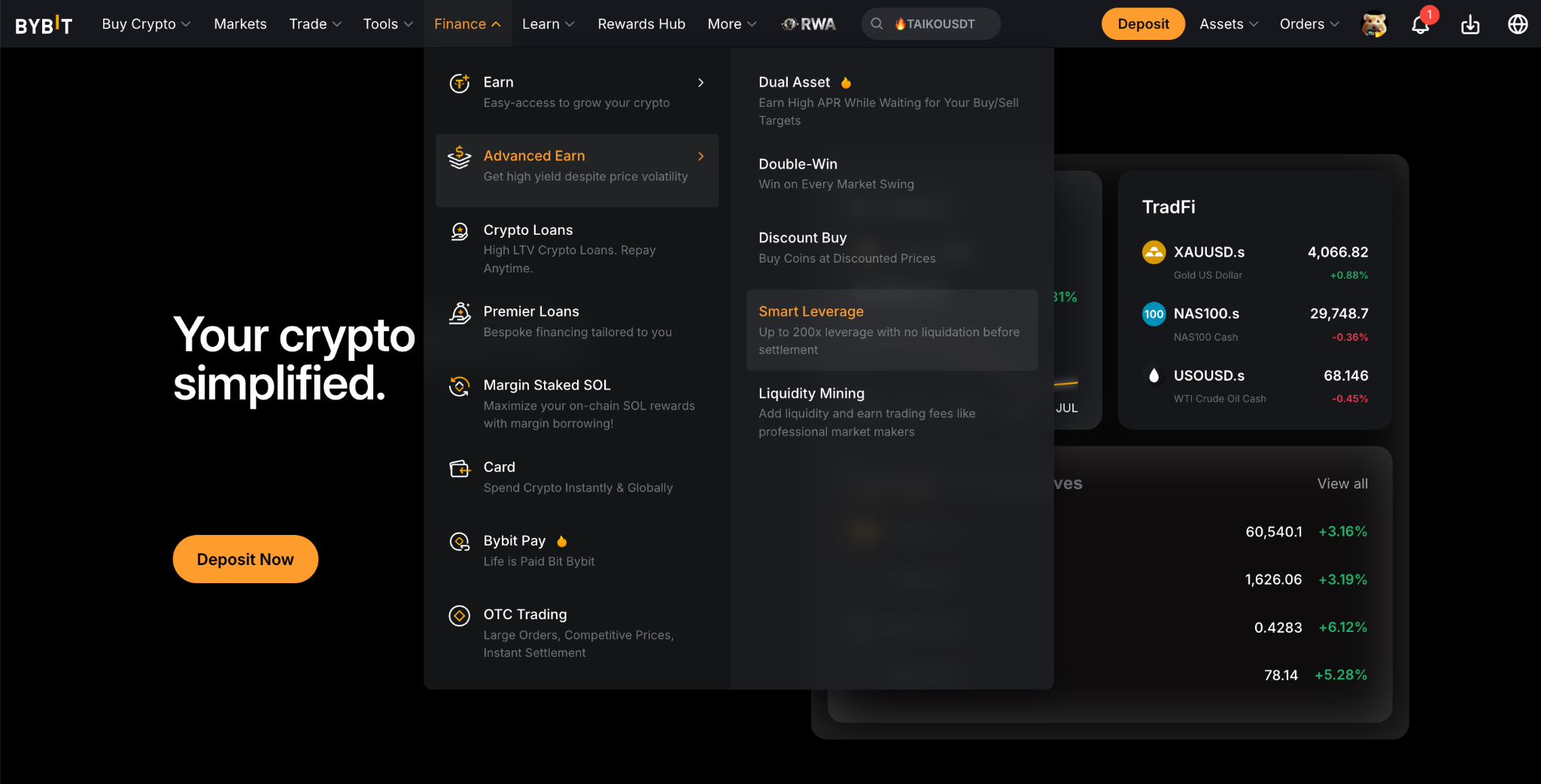
Step 1: Navigate to the Smart Leverage Page
Visit the Bybit Smart Leverage page by clicking on Finance → Earn → Smart Leverage in the navigation bar.
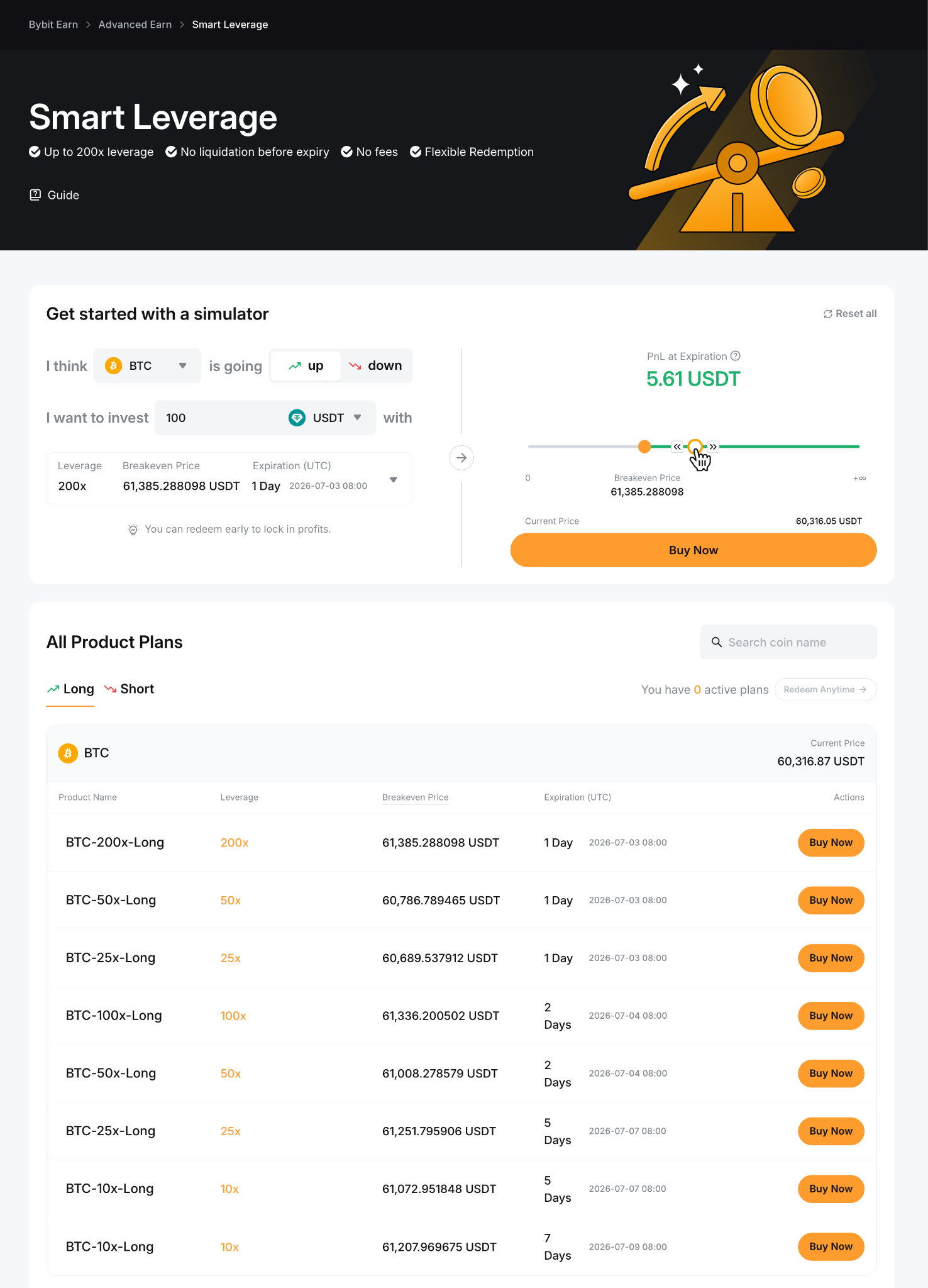
Step 2: Choose a Smart Leverage Product
Explore the available products based on Coin, Direction, Leverage, Breakeven Price, Term and select the one you would like to purchase. Then, click on Buy Now.
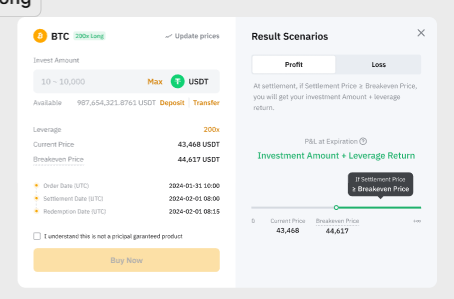
Step 3: Create Your Smart Leverage Product
Enter the amount you would like to invest and ensure you acknowledge all the parameters you chose. Then, click on Buy Now.
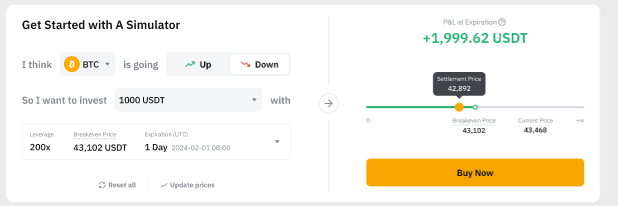
Tips: Use the simulator to estimate potential Profit and Loss (P&L) by selecting the coin, indicating the direction, and entering the investment amount.
Step 4: Confirm the Order Parameters
Please ensure that all the order parameters you set are accurate. Then, click on Confirm.
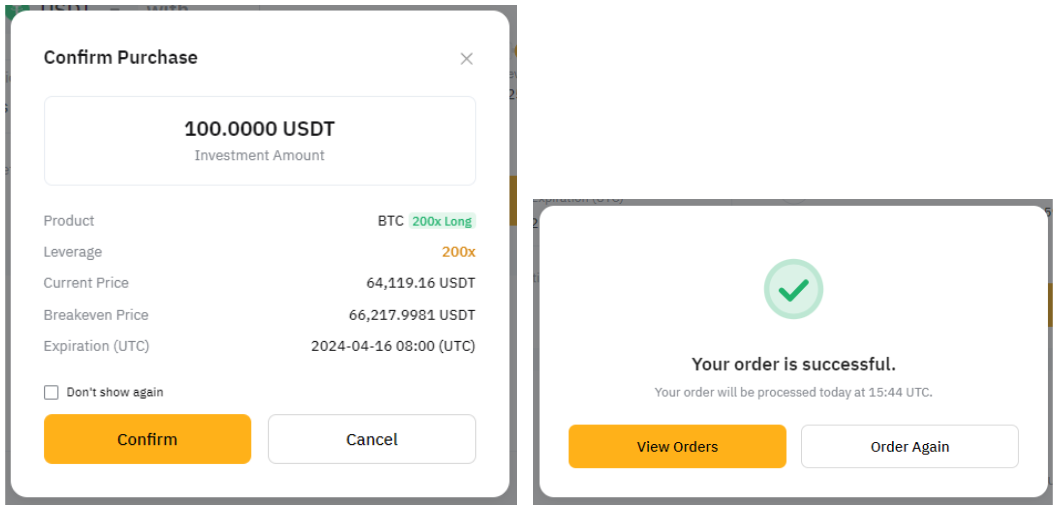
Congratulations! You have successfully subscribed to the product.
Notes:
— The breakeven price is determined by various factors, including volatility and time remaining until expiration. The breakeven price is calculated in real time.
— Profit is only realized if the settlement price exceeds the breakeven price in the corresponding direction.
View Your Orders
To check the details of your Smart Leverage orders, please tap on View My Order in the pop-up window of the successful order notification.
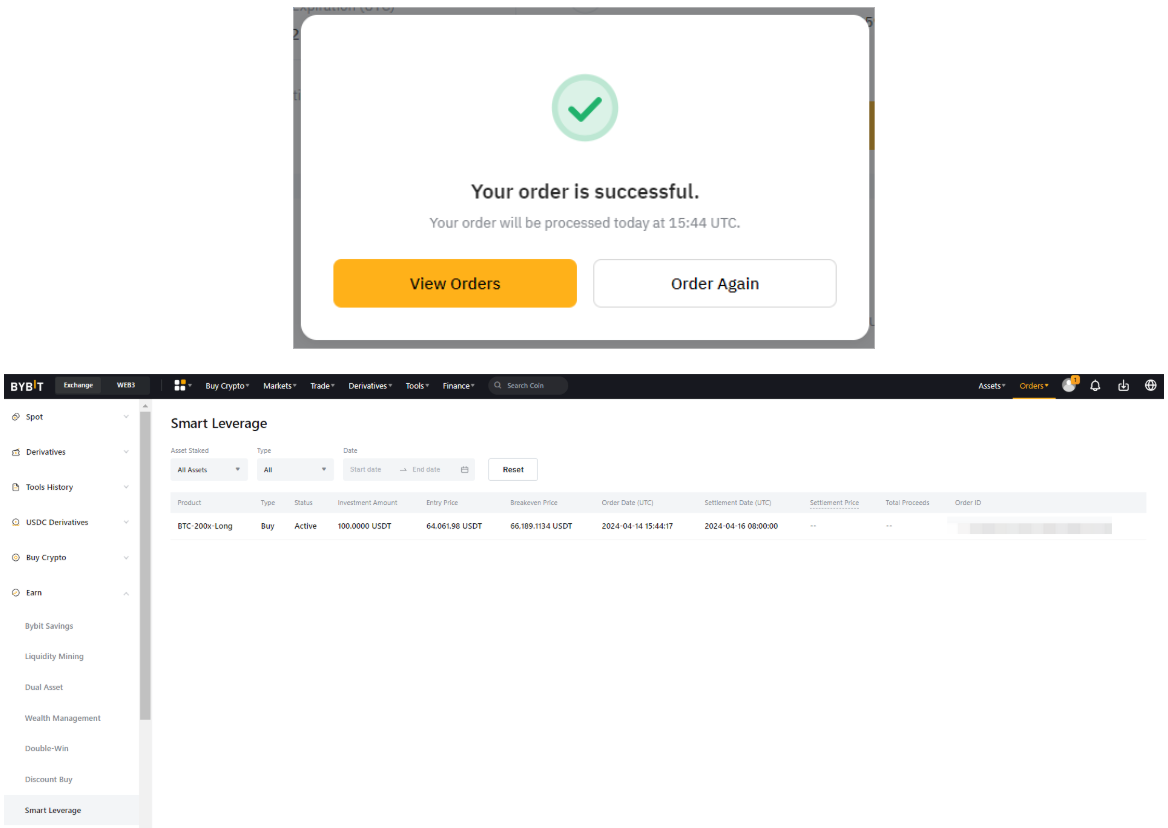
Alternatively, you can click on Assets at the top right corner of the Bybit page to enter the Earn Account page. From there, you can view your existing orders.
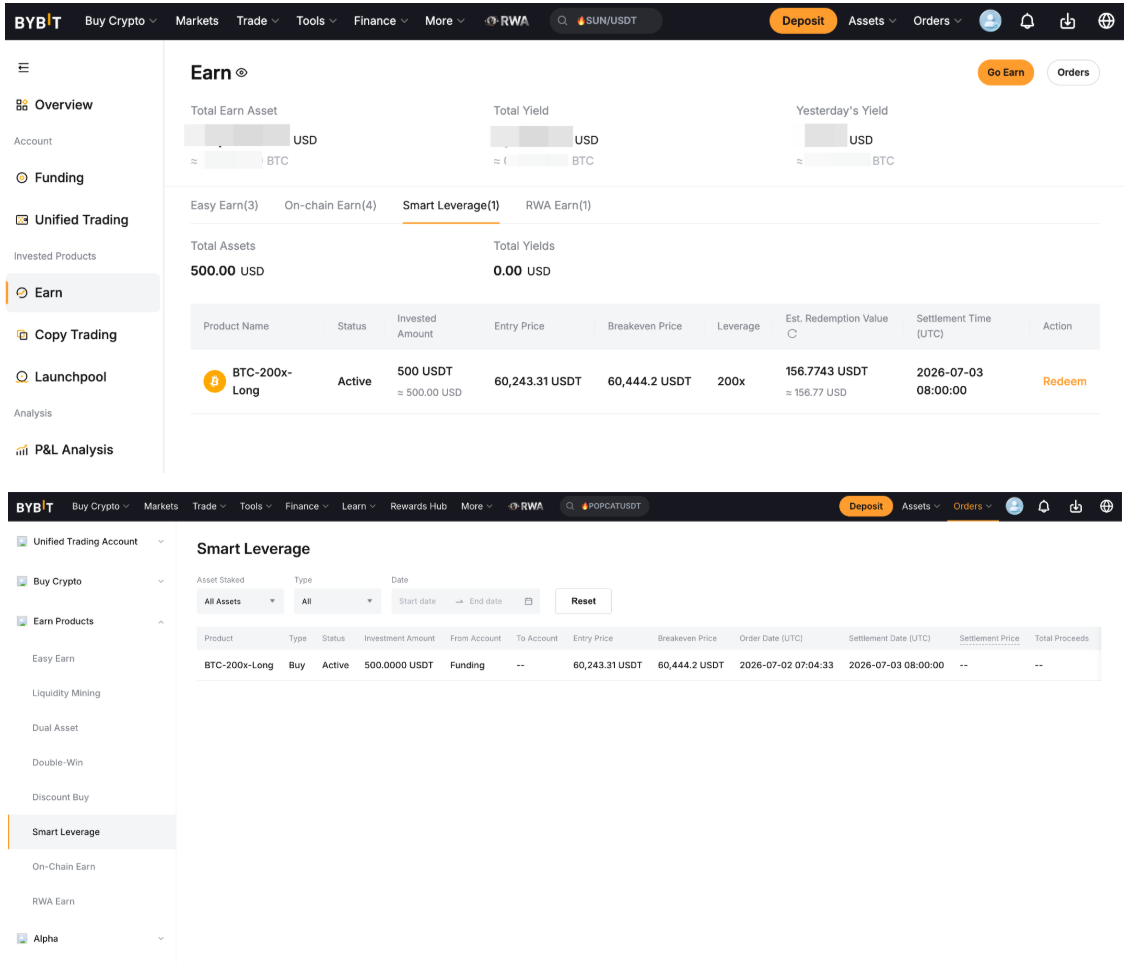
Early Redemption
Step 1: Hover your cursor over the Assets page and select Earn under Invested Products. Click on Smart Leverage to see your active Smart Leverage product.
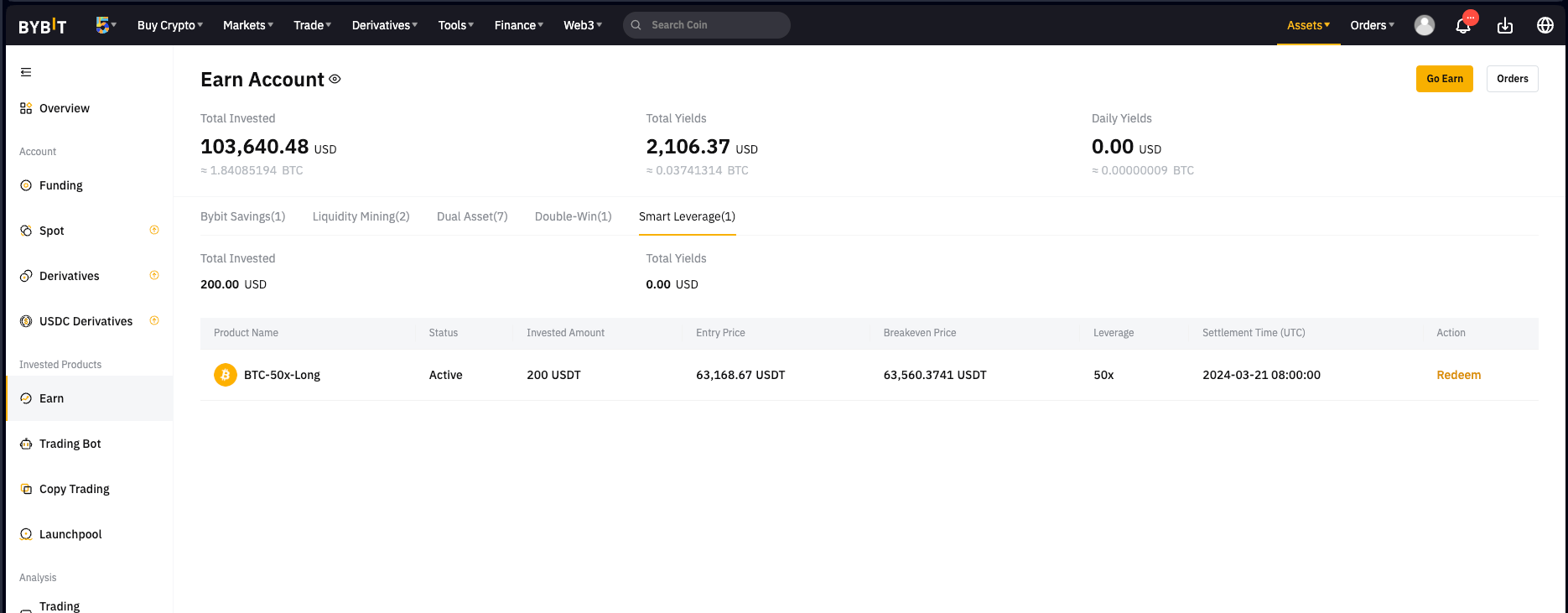
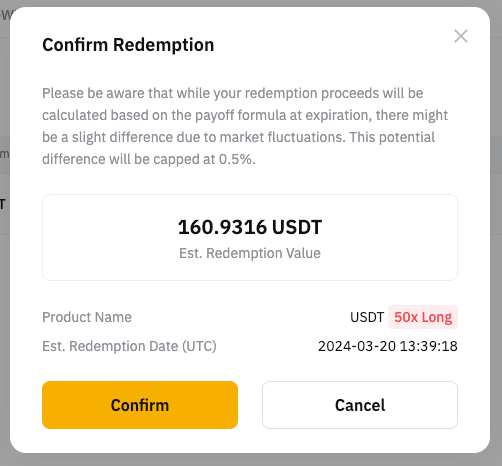
Step 2: Click on Redeem shown on the right side of your Smart Leverage product and you will see a confirmation pop-up window. Verify the redemption details before clicking on the Confirm button.
Notes:
— There may be a slight discrepancy in the actual proceeds, capped at 0.5% due to market movement.
— Early redemption is not possible if the calculated payoff is negative or equal to 0. Additionally, it will no longer be available starting from one hour before settlement.